The Budget Home Datacenter
🚧 UNDER CONSTRUCTION 🚧 This post is a work in progress. Photos are being added. Some sections are incomplete. And some photos are just wrong
This is the physical side of the homelab. Not the software, not the automation, not the Kubernetes cluster. The actual rack, the wiring, the hardware, and the questionable carpentry that holds it all together.
Build Photos#
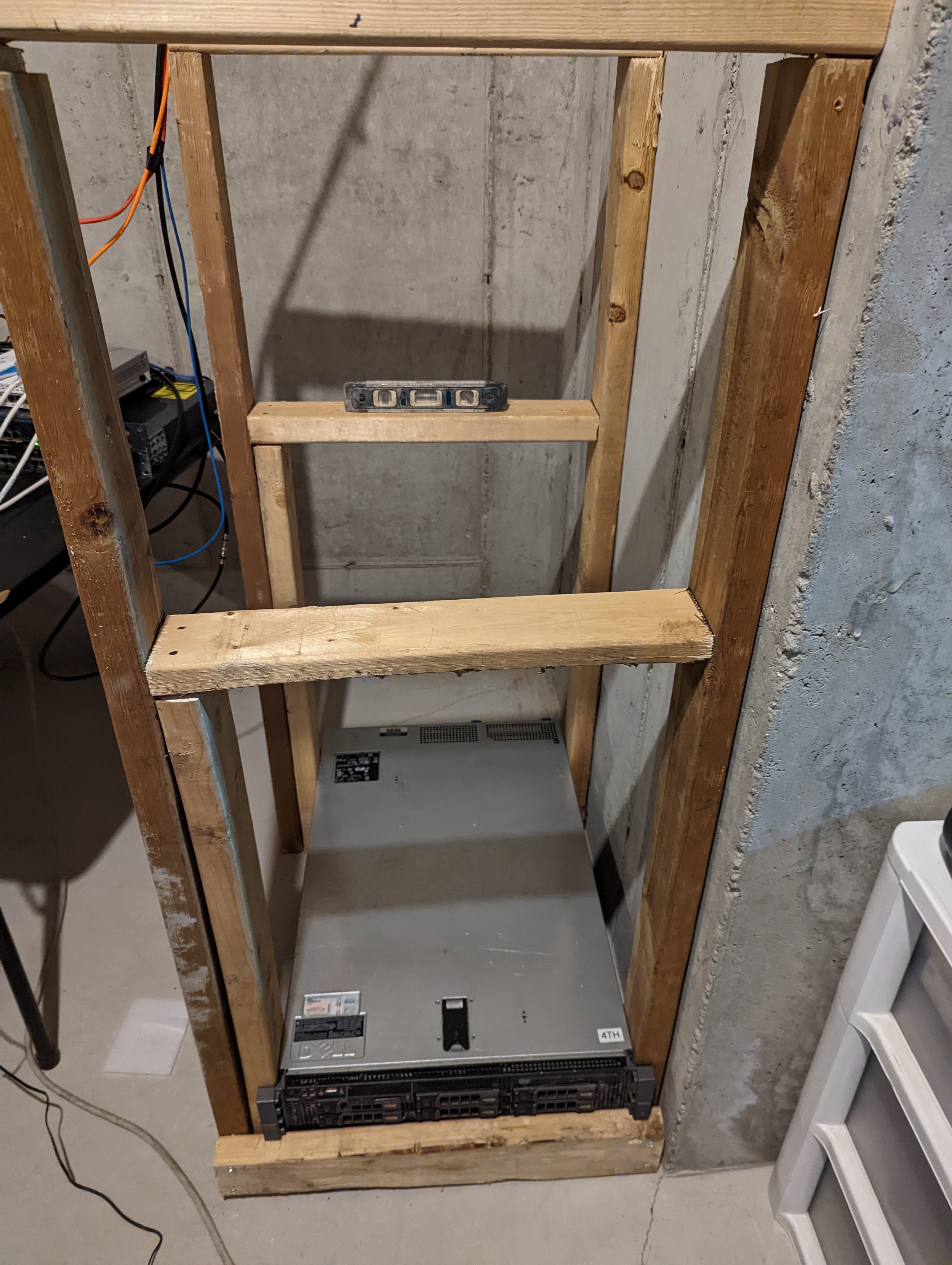
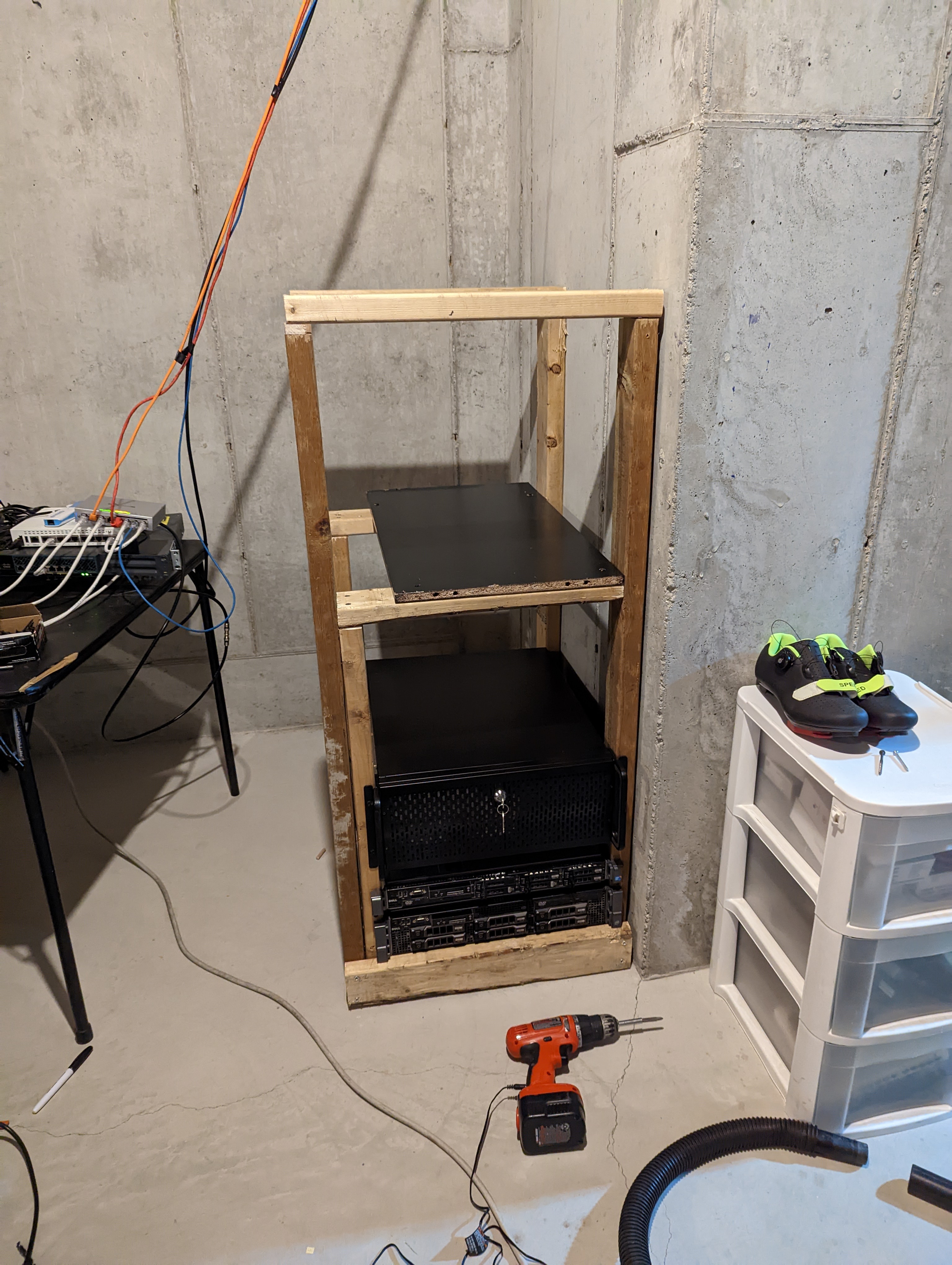
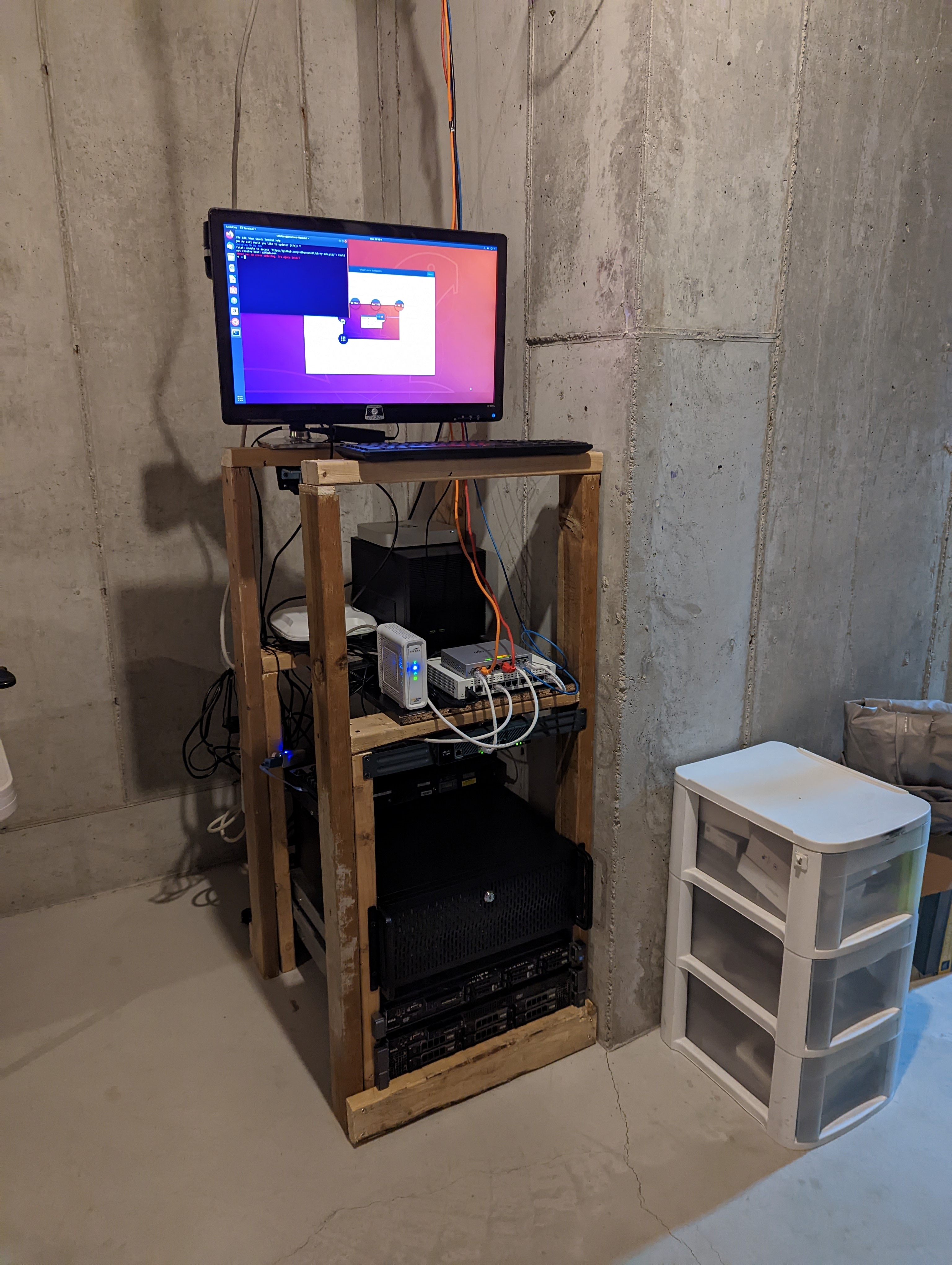
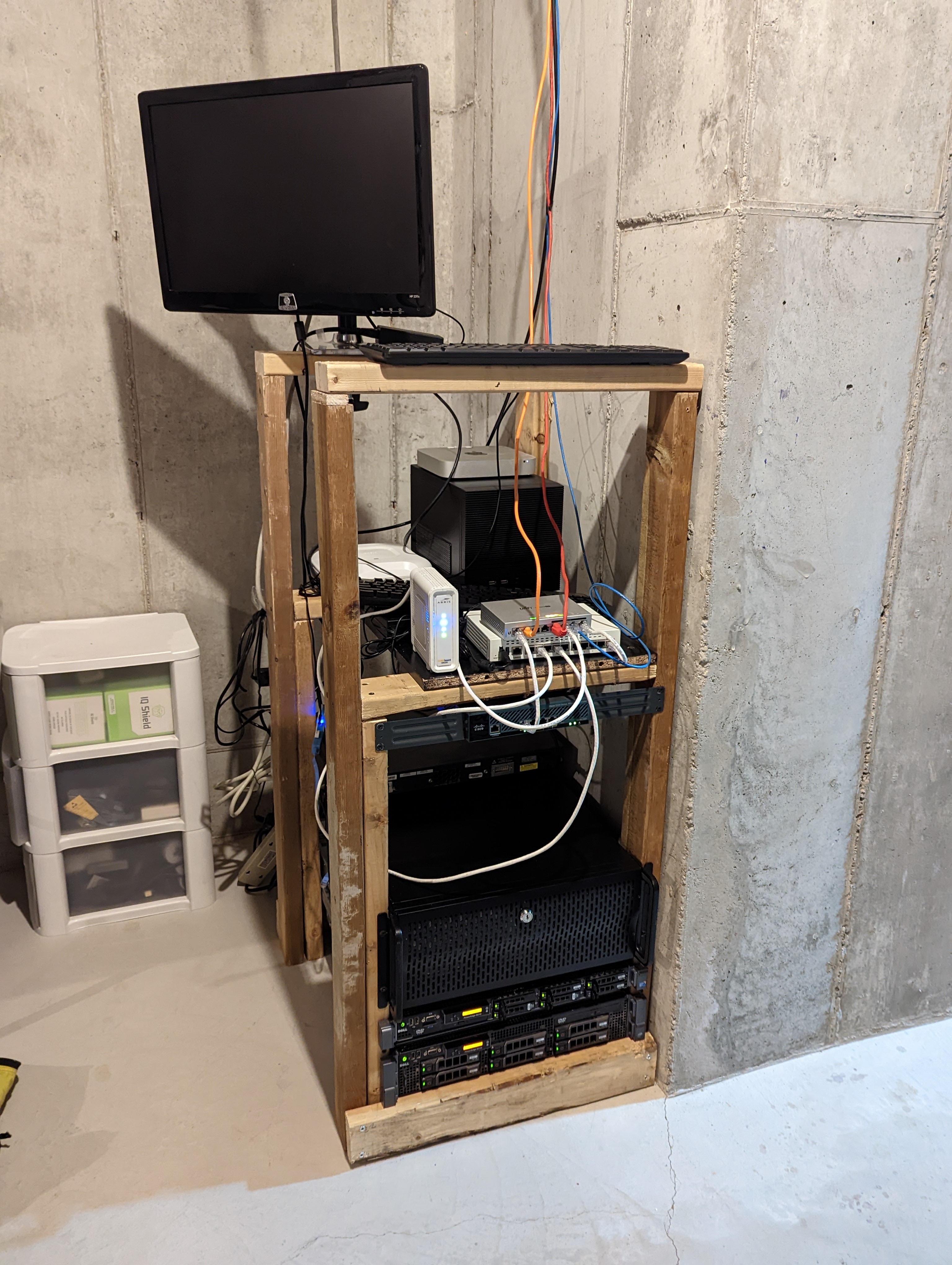
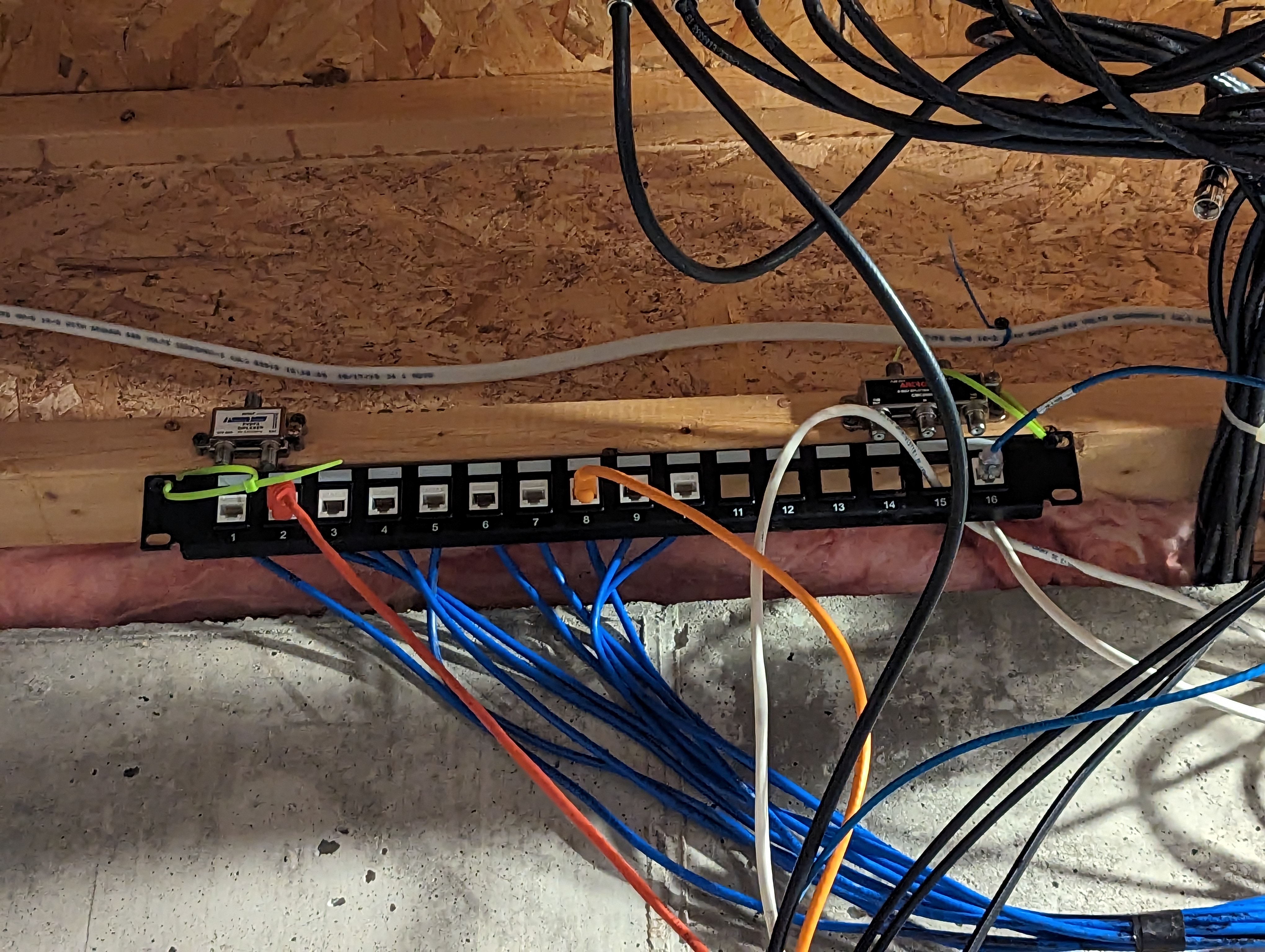
The “Rack”#
I built the rack frame out of 2x4s. Not because I wanted to. Because I had 2x4s and I didn’t have a rack. A proper 42U server rack costs $300-800 and weighs 150+ pounds. A trip to Home Depot and an hour with a drill costs about $40 and weighs whatever you want it to weigh.
It’s ugly. The wiring is worse. But it holds everything, it’s sturdy, and it cost less than a nice dinner. Plus, I don’t get paid to do this, and my life isn’t a series of perfectionist tasks. The only person I have to please with this is myself, and, truthfully it makes me sad to think of spending a lot of money for beauty’s sake.
The Hardware#
Top to bottom:
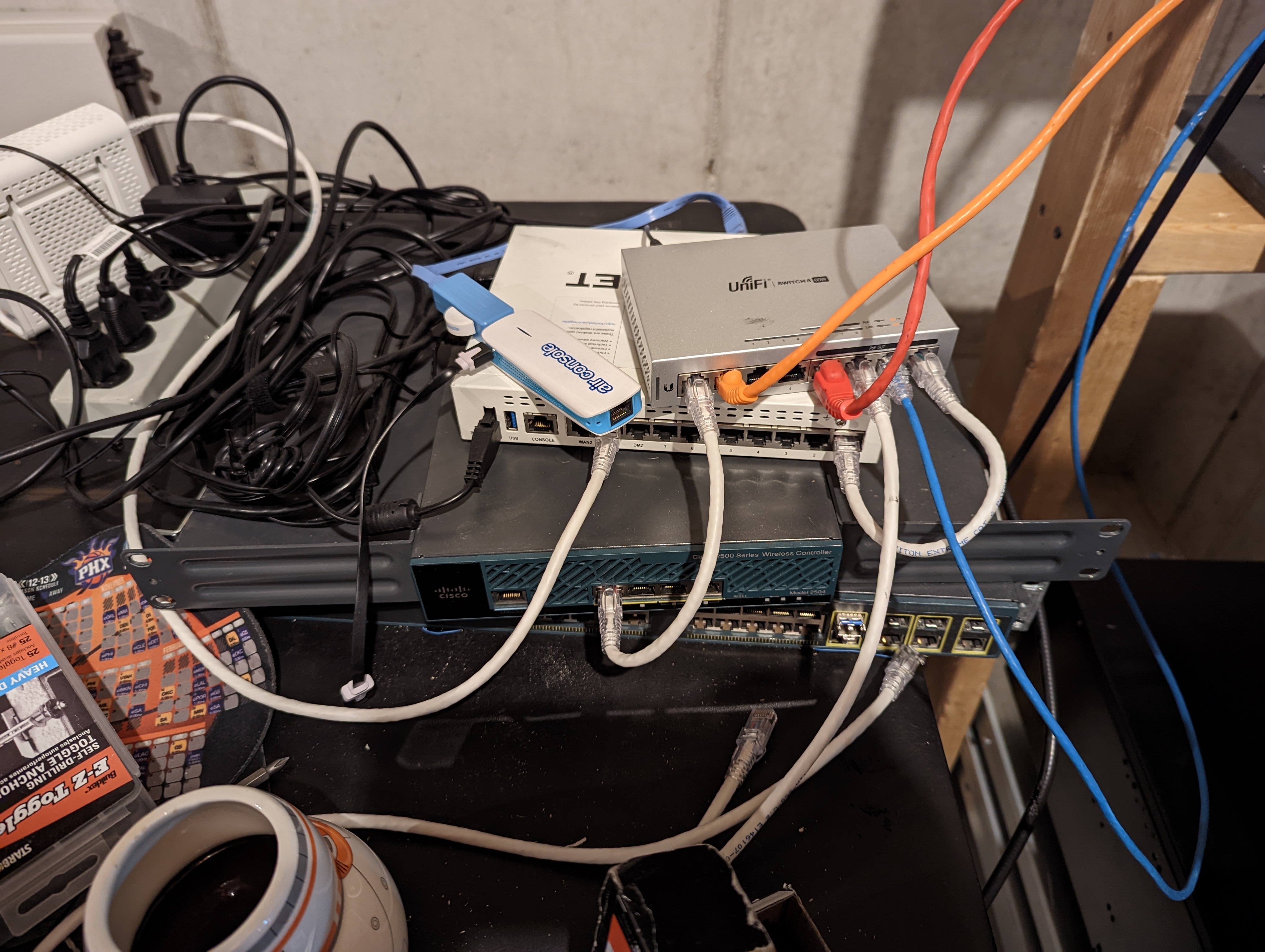
Network shelf:
- FortiGate 60E (firewall, router, DHCP for 4 VLANs)
- Cisco 3560 switch (the one piece of gear that’s still manually configured)
- Ruckus R600 APs (not in the rack, mounted on the ceiling, but the controller lives here)
Kubernetes cluster:
- 5x Lenovo ThinkCentre M910q (nebula-1 through nebula-5)
- Each: 32GB RAM, 1TB NVMe (name-brand, after the off-brand disaster)
- Stacked vertically because they’re tiny and it works
Servers:
- Dell R610 running Proxmox (hypervisor for DMZ VMs and misc workloads)
- SuperMicro chassis with a 1070 GPU (big-boi: Plex transcoding, Steam headless)
- SuperMicro FreeNAS (NAS, NFS exports for the k8s cluster)
Power:
- Eaton UPS with a broken faceplate. The plastic clip that holds the front panel on snapped off years ago. The panel sits loosely against the unit, held in place by gravity and optimism. It still provides clean power and battery backup. The faceplate is cosmetic. I’ll fix it never.
The Wiring#
The wiring is bad. I know it’s bad. There is electrical tape where there should be velcro. There are cables that loop around other cables for no reason. At least the power cables and the network cables are separated. And I know where everything goes and is, and as the president and principle engineer of The Heezy, this LGTM.
It works. Everything has connectivity. Nothing is intermittent. But if you’re the kind of person who posts clean cable management photos on r/homelab, look away.
The Cost#
Rough breakdown of what everything cost:
| Item | Cost | How Acquired |
|---|---|---|
| Dell R710 | $0 | Rescued from e-waste pile |
| Dell R610 | ~$600 | eBay (2016) |
| 5x ThinkCentre M910q | ~$500 total | eBay/refurb |
| 5x 32GB RAM upgrades | ~$200 total | Amazon |
| 5x 1TB NVMe (good ones) | ~$250 total | Amazon |
| 5x 1TB NVMe (bad ones, wasted) | ~$125 total | Amazon (lesson learned) |
| SuperMicro FreeNAS | ~$150 | Used |
| SuperMicro GPU chassis | ~$200 | Used + GPU from previous build |
| FortiGate 60E | ~$200 | eBay |
| Cisco 3560 | ~$50 | eBay |
| Ruckus R600 APs | ~$80 total | eBay |
| Eaton UPS | ~$100 | Used |
| 2x4 lumber + screws | ~$40 | Home Depot |
| Cables, misc | ~$50 | Amazon |
| Total | ~$2,545 |
Under $2,600 for a 5-node Kubernetes cluster, a hypervisor, a NAS, a GPU server, enterprise networking, a UPS, and some wood to resemble a rack. Most of it is used enterprise gear that businesses threw away.
The ongoing cost is electricity. I only estimate full stack draws roughly 400-500W at idle. The R710 was the biggest power draw before it was retired. The ThinkCentres sip power by comparison, but overall I am curious.
I plan to log into the UPS one of these days, but I am not even sure if I can or if it is pollable. Someday when I care enough, I might get to that.
What I’d Improve#
- Real rack rails. The 2x4 frame works but it’s not great for sliding servers in and out. Proper rails would make maintenance easier.
- Cable management. Velcro, cable combs, proper runs. It’s on the list. It’s been on the list. Shit, I lost the list. Oh well, file a Jira with the PM and maybe we can make it happen one day.
- Fix the UPS faceplate. Or just accept it. Probably accept it. (I have accepted it)
- Dedicated PDU. Right now everything plugs into the UPS or a power strip daisy-chained off the UPS. A proper rack PDU with individual outlet monitoring would be nice. Too bad I don’t work in a role where I touch hardware anymore.